We want your order to be as smooth and hassle-free as possible. Here you will find instructions on how our app works – whether you are a first-time user or need a quick reminder about a function.
Download the Taksi Helsinki application and login
The Taksi Helsinki app is available on both Android/ iOS devices and can be downloaded from an appropriate app store.
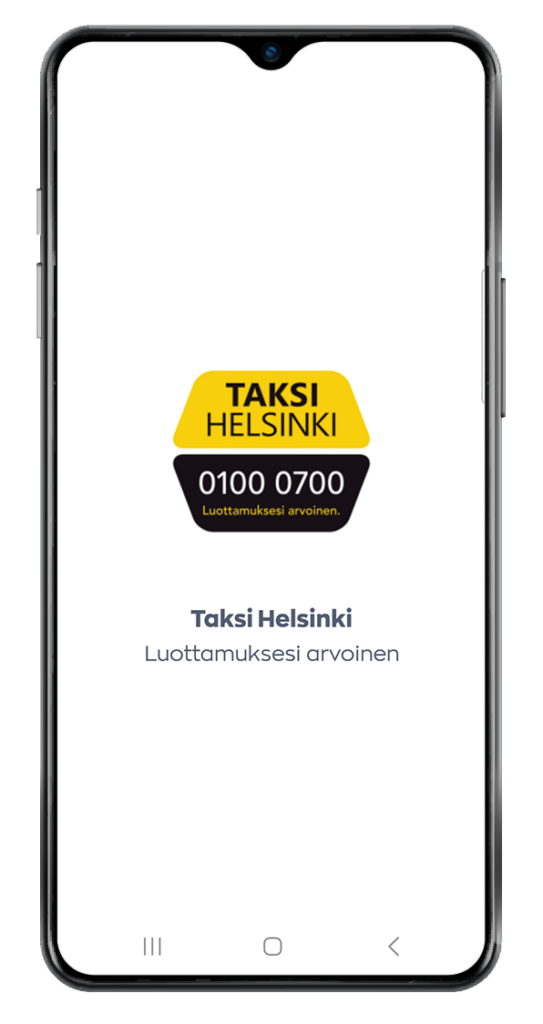
Create an account or Log in
After installing the application, you can Create an account or Log in.
Select how you would like to register and log in:
- Email or
- Google account or
- Apple account.
Once logged in, you can familiarize yourself with the new application and order a taxi in just a few seconds.ssa.
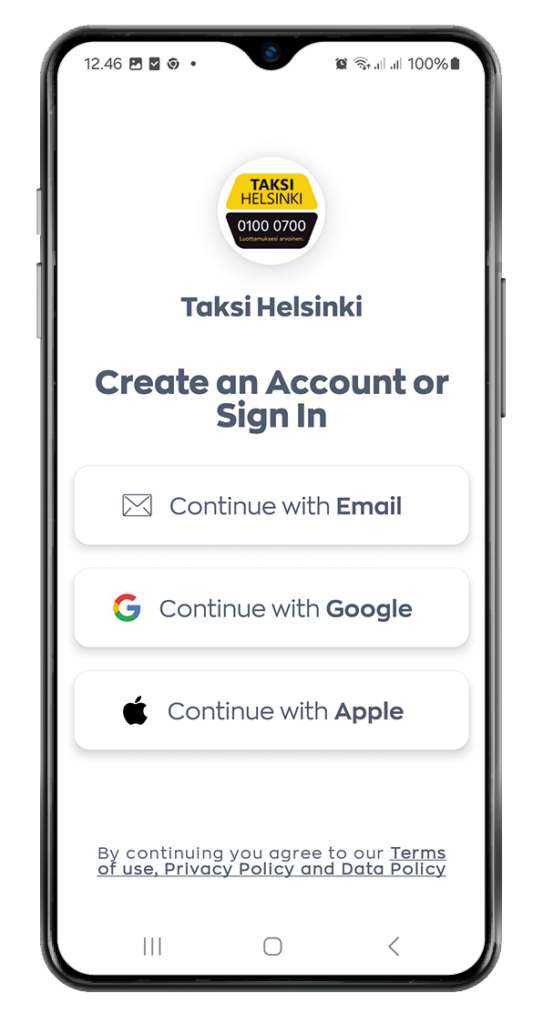
Main Menu
You can access the main menu from the box in the upper left corner.
You can find the following functions in the menu:
1 View profile
2 My Rides
3 My Wallet
4 My Favourites
5 My rewards
6 Taksi Helsinki price list
7 Taksi Helsinki call rate
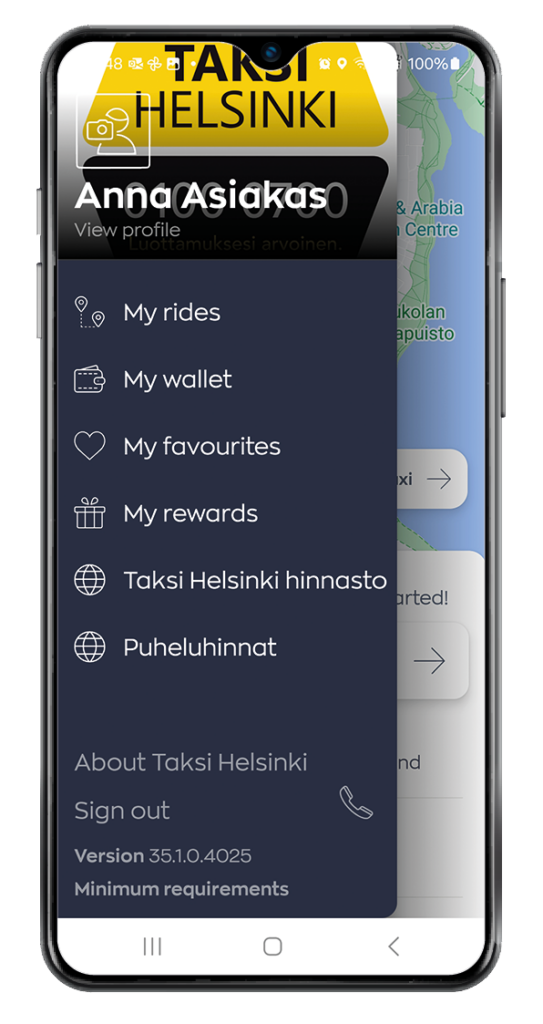
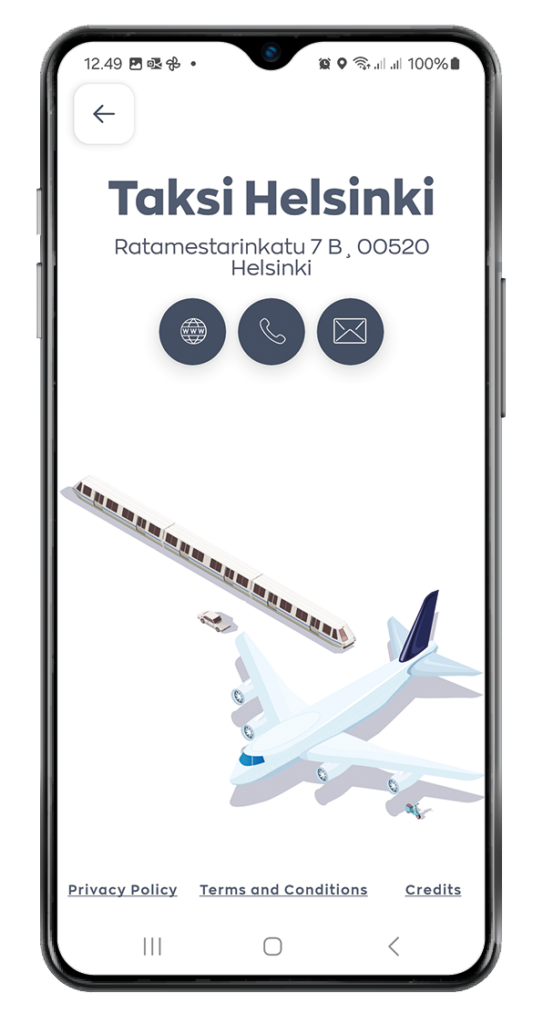
About Taksi Helsinki opens a page where you can find e.g. links to the Taksi Helsinki website, a direct call link to the service center and an email option to the feedback mail.
In addition, the page contains information on data protection practices and terms of use.
View profile
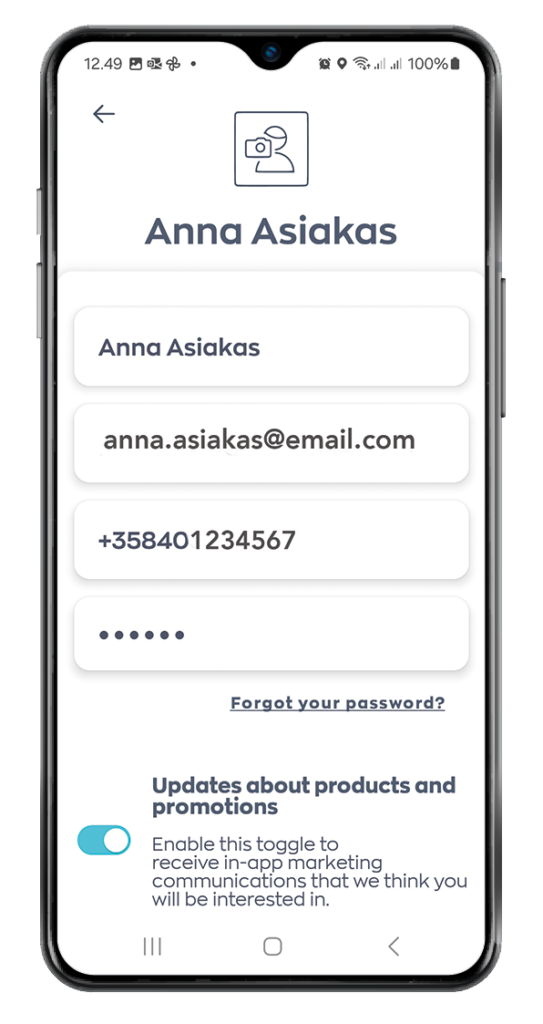
The profile screen is where you can manage your account details.
Press on any of the available fields to update your details.
Note!
Updates about products and promotions. Allow us to send announcements and news to ensure you’ll get to know current update features related to the Taksi Helsinki application.
My Rides
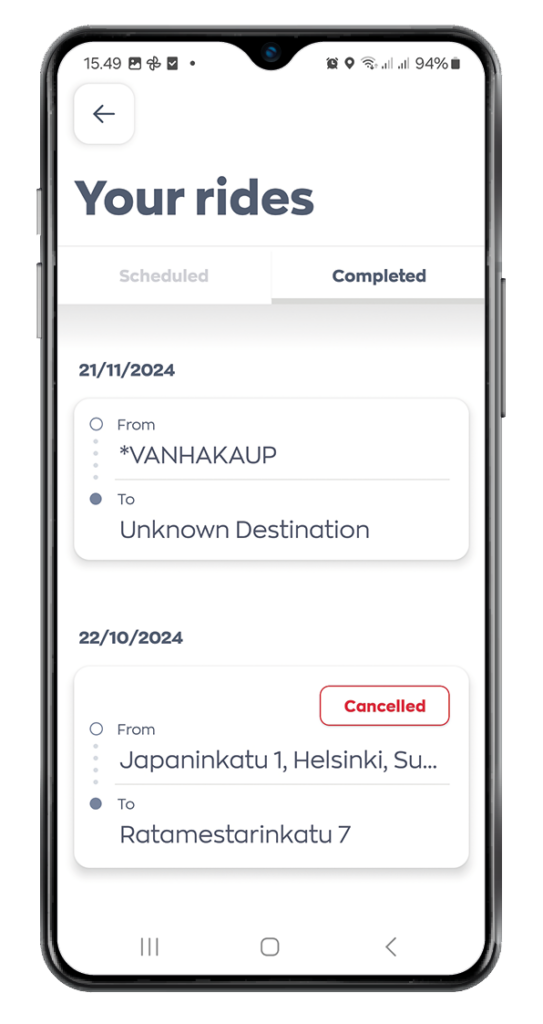
The My Rides screen is where you can view upcoming and completed rides (bookings).
On the Scheduled screen, you can find upcoming rides.
On the Completed screen, you can see the rides already completed.
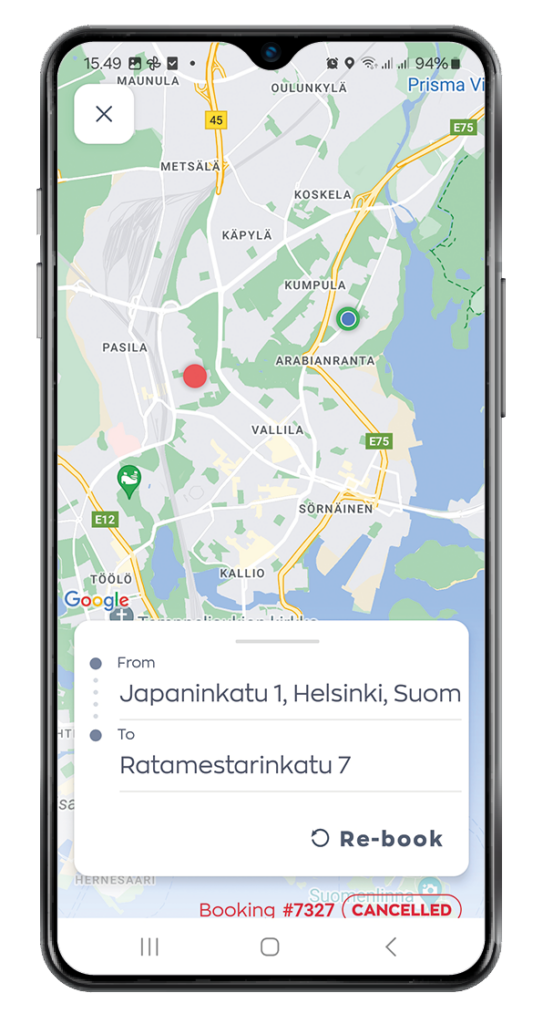
By clicking on the ride details, you will see the ride’s specifics, such as the pick-up and destination addresses, total price, driver and vehicle information, as well as the payment method.
You can copy the ride details for a new booking by pressing the Re-book option in the trip detail’s view.
Note! You can also submit driver feedback using the rating option.
My Wallet
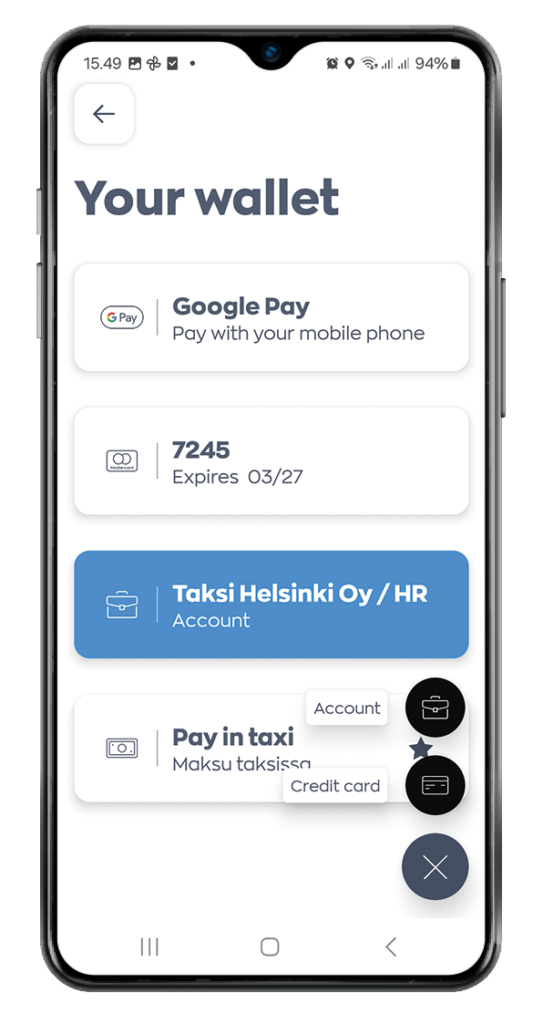
The My Wallet screen is where you can add your payment methods such as Cash, Card, Google or Apple Pay and Account.
To add a payment method
Press on the Plus icon in the bottom right.
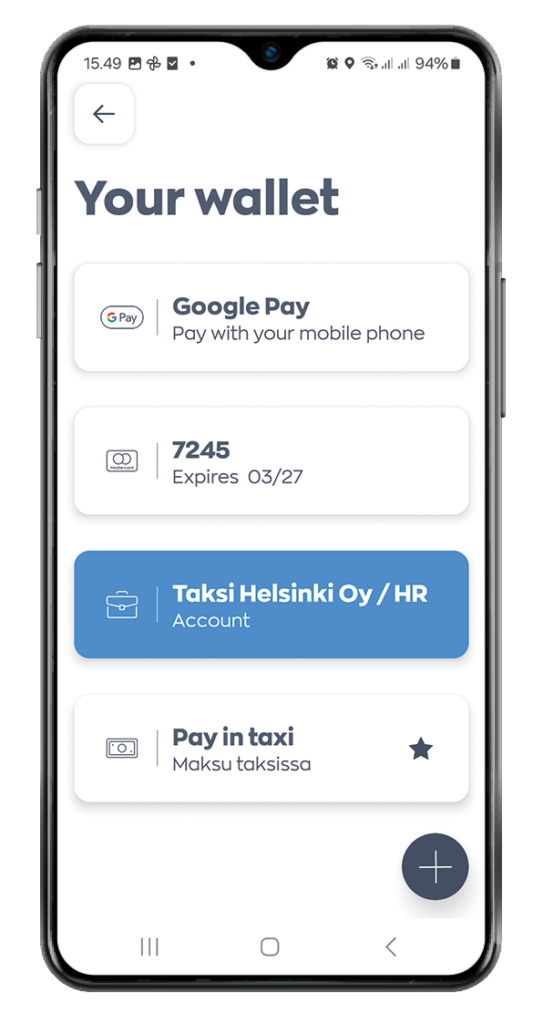
2. Press on Card or Account.
Then enter the required details and click the (Tick) icon.
Note! You can also set a favourite payment method by swiping to the right. The favourite payment method is highlighted and marked with an asterisk.
My favourites
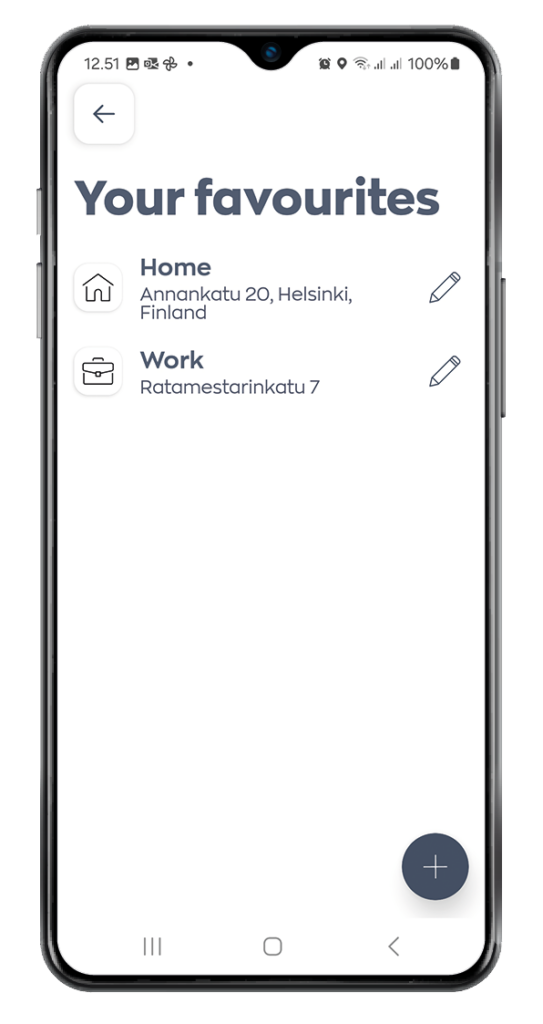
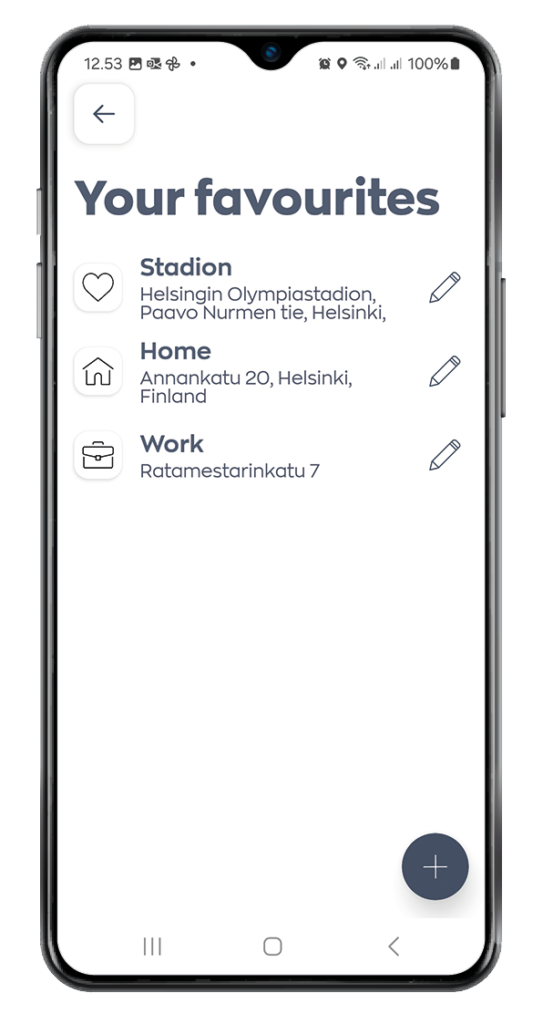
The My Favourites screen is where you can set your favourite addresses to save time when making future bookings. By default, “Home” and “Work” are already available, and you can set the addresses by pressing the respective option..
To add a custom favourite address:
- Press on the Plus icon in the bottom right.
2. Enter and select the address.
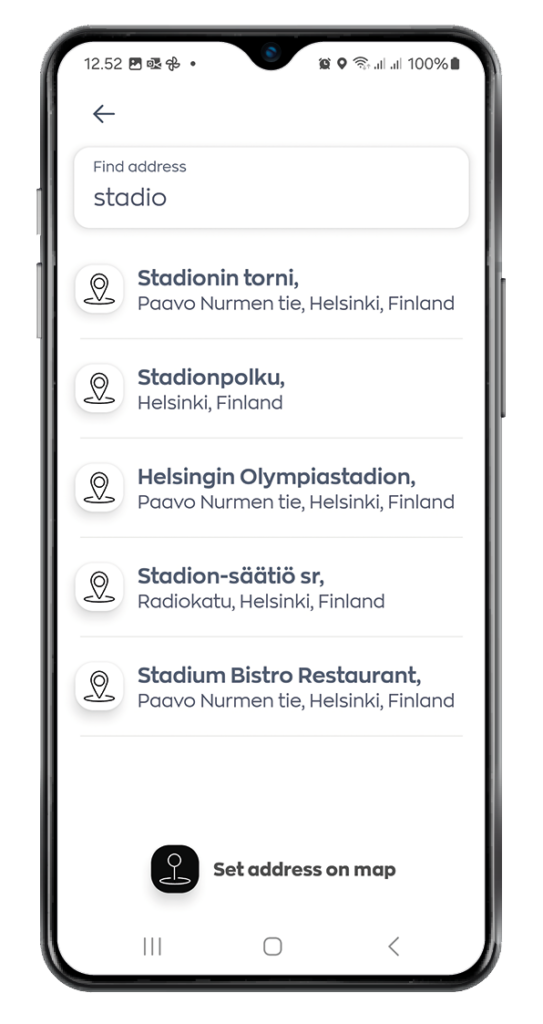
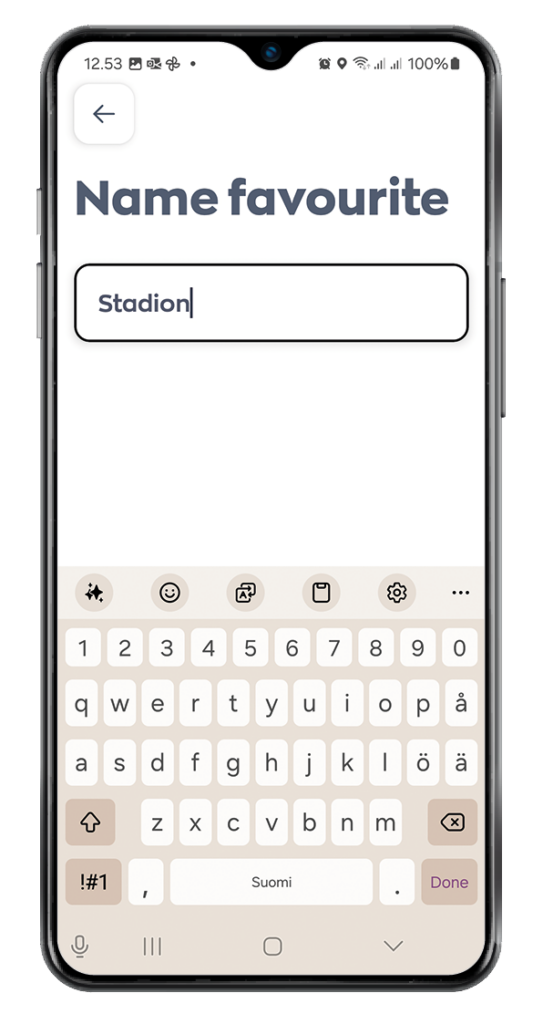
3. Then enter a name for the custom address.
4. Click the Tick icon.
Note! You can add multiple favourite addresses.
My Rewards
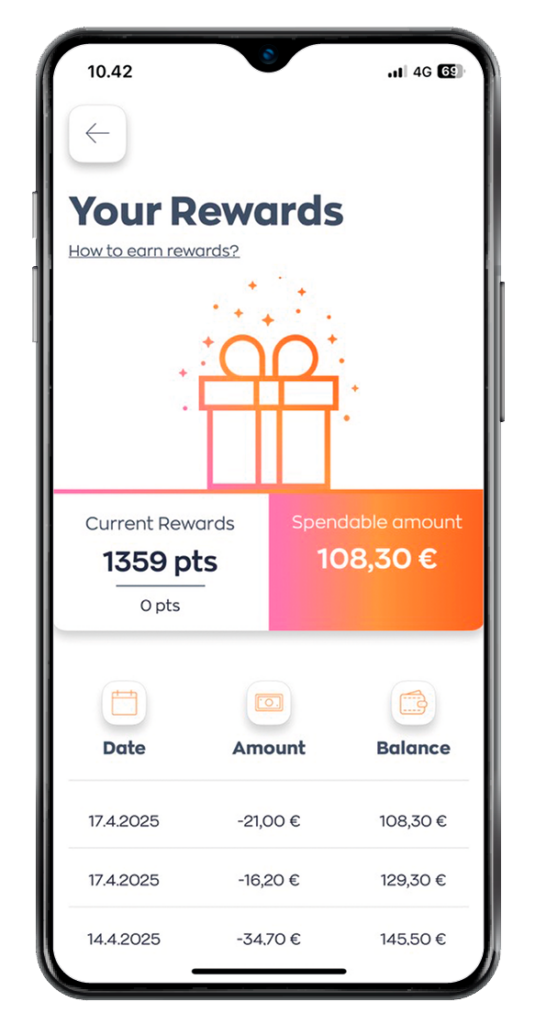
The My Rewards screen displays your earned rewards from previous bookings, along with the date, amount, and current balance.
You earn points for each ride you order and complete using the Taksi Helsinki app — one point for every euro you spend on rides. For every 100 points, you receive one euro credited to your app account.
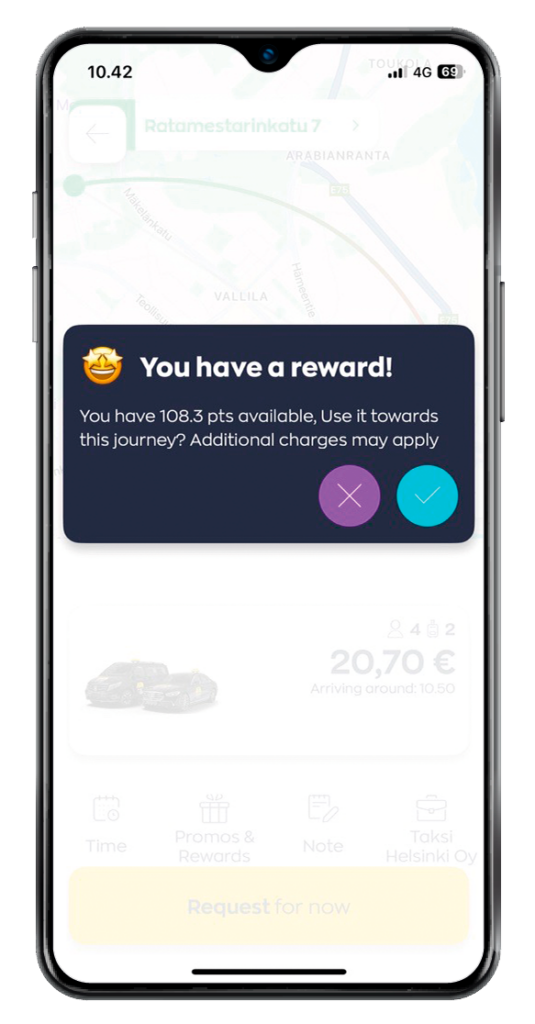
Once you have accumulated enough reward credit to cover the full cost of a ride, you’ll be offered the option to pay for the ride with your reward credit when placing an order in the app.
Please note that reward credit must cover the entire fare; it cannot be used to pay only part of the ride’s cost.
Placing a Booking
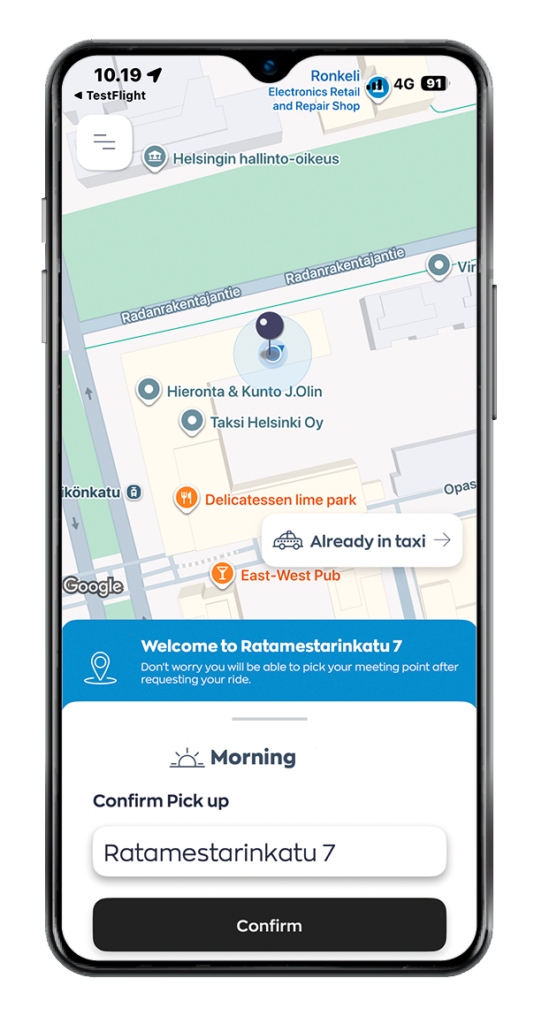
1. Confirm your pickup location
The app automatically detects your pickup address using your phone’s location services.
Check that the address is correct and confirm your pickup location by tapping “Confirm”.
You can also edit the pickup location before confirming it.
Note! Your phone’s location may not always be completely accurate, so please make sure the address is correct before continuing your booking.
2. Enter your destination
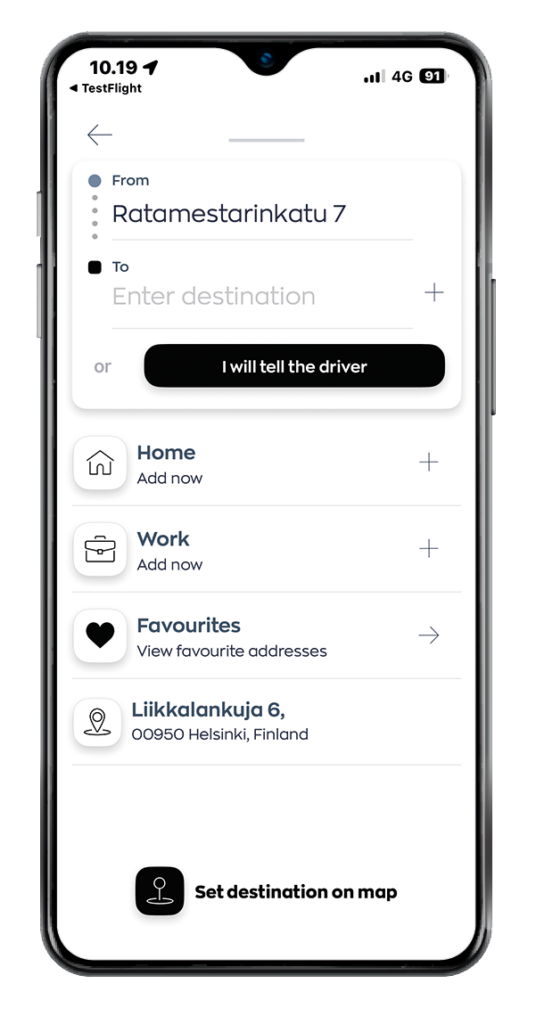
Enter your destination address in the “Destination” field.
Any additional pickup details, such as a stairwell letter or door code, should be added under the “Add instructions” section.
You can also add stopovers to your trip by tapping the plus (+) icon in the “Destination” field.
Once the addresses have been added, the app will display a fixed price for your trip. The price may vary depending on the selected vehicle type.
Order a taxi without a destination address
You can also order a taxi without entering a destination address in advance.
Check the pickup address suggested by the app. If you do not want to enter a destination in the app, tap “I will tell the driver”.
In this case, you can tell the destination directly to the driver during the trip, and the fare will be calculated by the taximeter.
3. Select the vehicle type
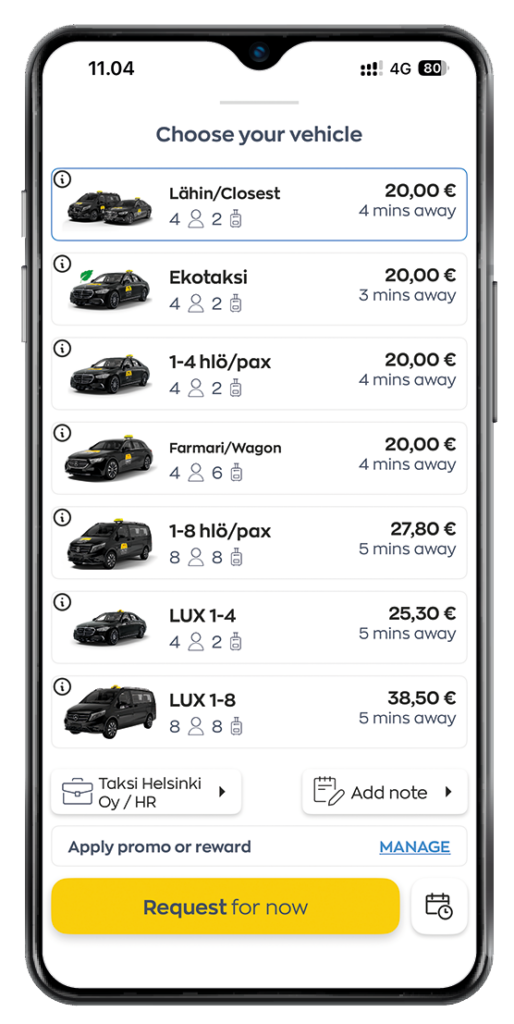
Select the desired car type by scrolling down the list and tapping the appropriate option.
Vehicle types:
- Closest
- Eco taxi
- 1 – 4 pax
- Wagon
- 1 – 8 pax
- Pet friendly taxi
- Parcel delivery
- Taksi Helsinki LUX 1- 4 pax
- Taksi Helsinki LUX 5 – 8 pax
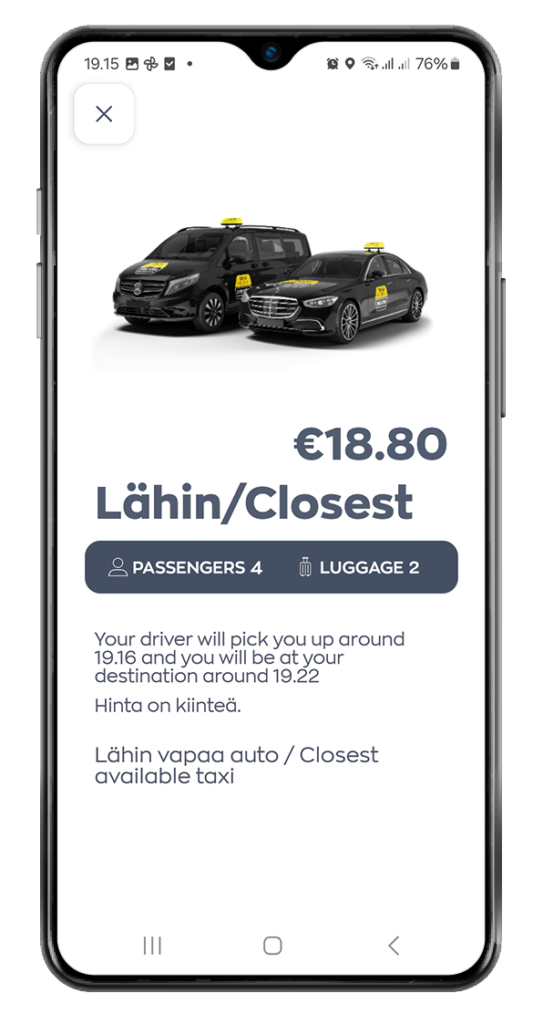
You can get more detailed information about vehicle types by clicking on the image of the vehicle in question. In the opening view, you can see
- the number of passengers that can fit in the car
- the amount of luggage that can fit in the car
- estimate the arrival time of the taxi to the pick-up address
- the estimated time when the taxi will arrive at the destination address.
Please note that child car seat transportation cannot be ordered via the app. They must always be ordered through our service center at 0100 0700 (the cost of the call is €2.96/phone + €1.54/min + landline/mobile).
4. Add instructions for the driver
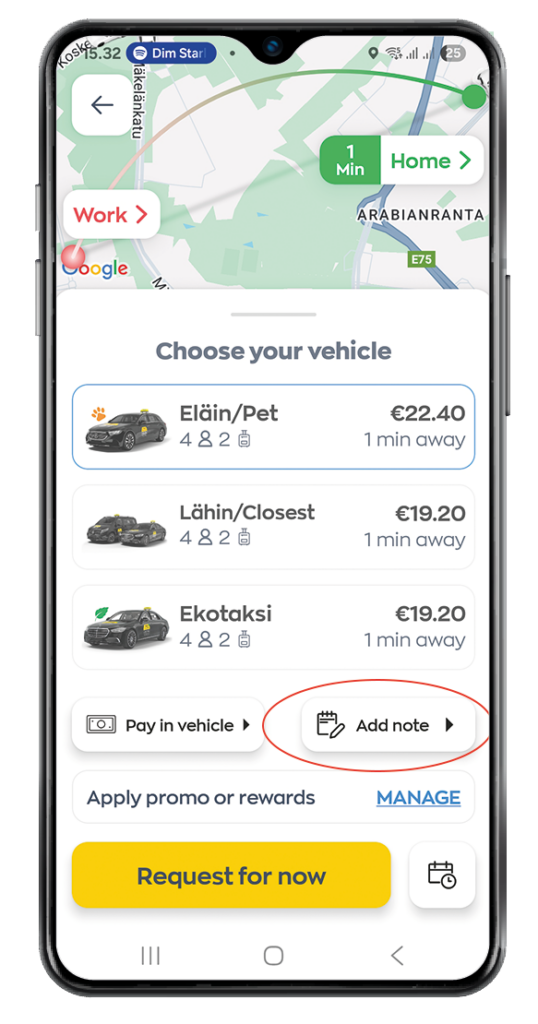
Enter any additional information for the driver by selecting Add note from the submenu
5. Select a payment method
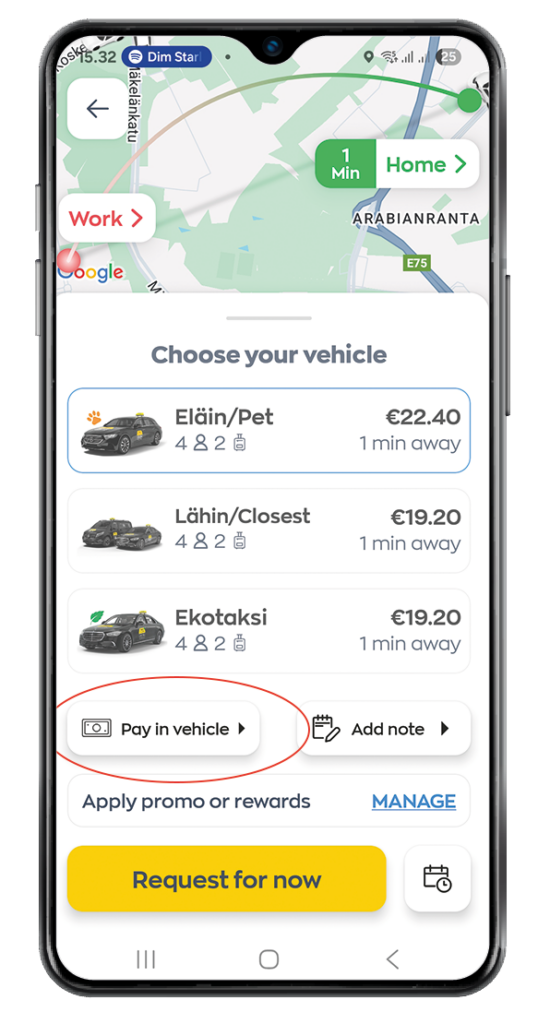
You can change the payment method from the submenu on the left.
6. Click Request.
Once a driver has been found, you’ll see the driver’s details and estimated time of arrival.
Note! We will send you notifications when your driver has arrived at the pickup location.
Selction of vehicle type
Select the desired car type by scrolling down the list and tapping the appropriate option.
Vehicle types:
- Closest
- Eco taxi
- 1 – 4 pax
- Wagon
- 1 – 8 pax
- Pet friendly taxi
- Parcel delivery
- Taksi Helsinki LUX 1- 4 pax
- Taksi Helsinki LUX 5- 8 pax
You can get more detailed information about each car type by clicking on the image of the vehicle in question. In the opening view, you can see
- the number of passengers that can fit in the car
- the amount of luggage that can fit in the car
- estimate the arrival time of the taxi to the pick-up address
- the estimated time when the taxi will arrive at the destination address.
Note!
Please note that transportation requiring a child safety seat cannot be ordered through the app. These rides must always be booked through our service center by calling 0100 0700 (call cost: €2.96 per call + €1.54 per minute + local network/mobile charge).
Pre-booking
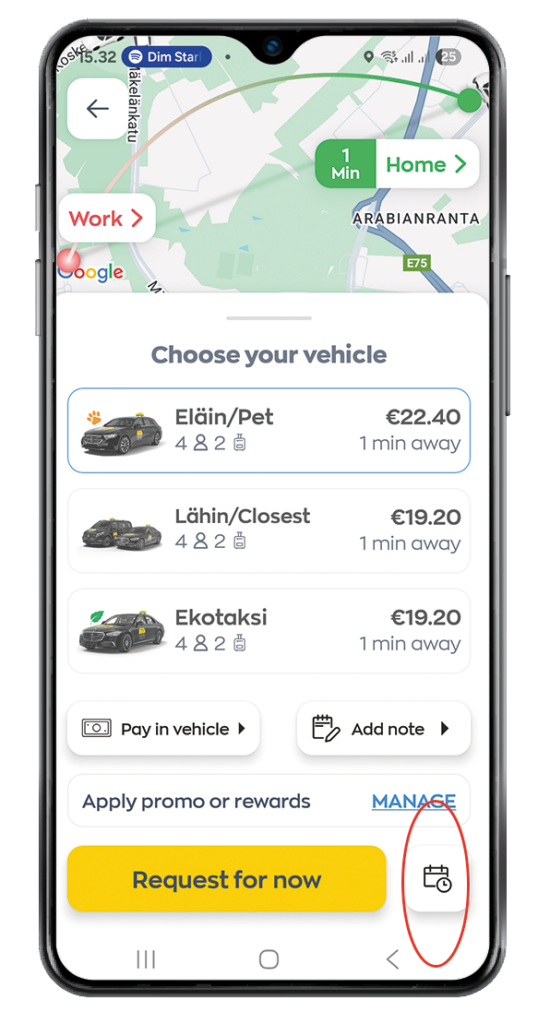
- Press Time icon
3. Press on the Date field to set the date.
4. Set what Time you’d like to schedule a booking.
5. Press Set Scedule.
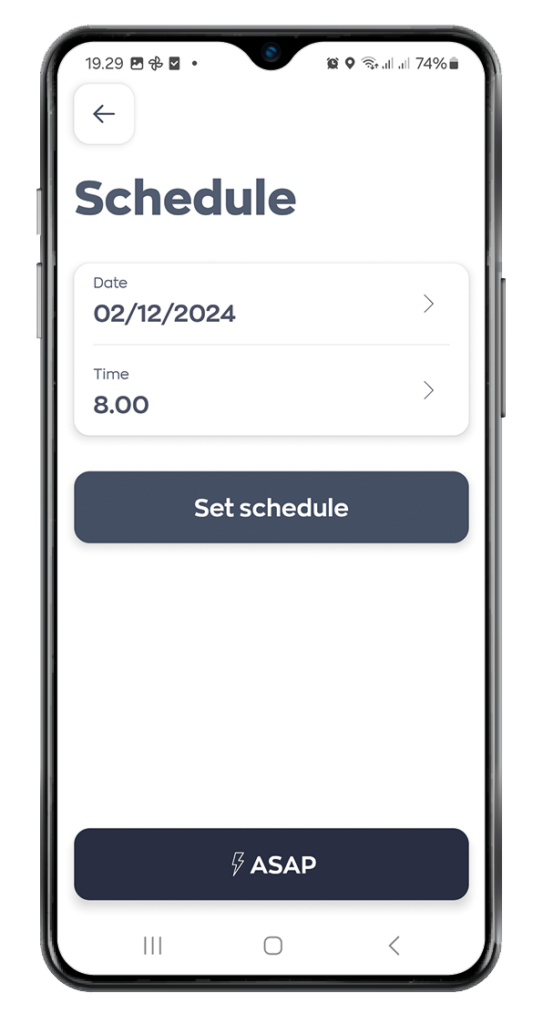
6. Once you’ve set the preferred date and time, you can then press to schedule the booking.
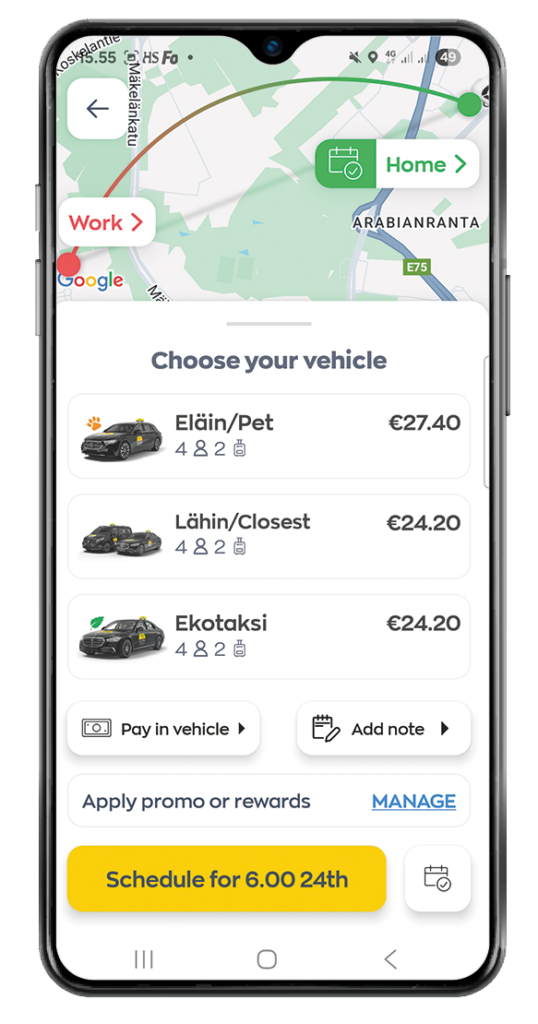
Using your discount and promo codes
Before sending the taxi booking, add the code like this:
1. Tap MANAGE in the order menu under Apply promo or rewards.
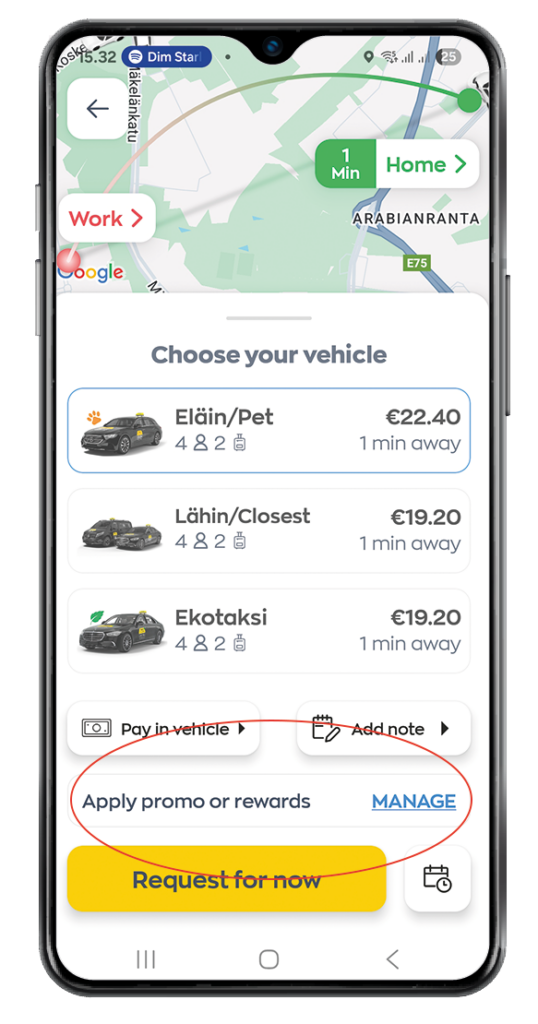
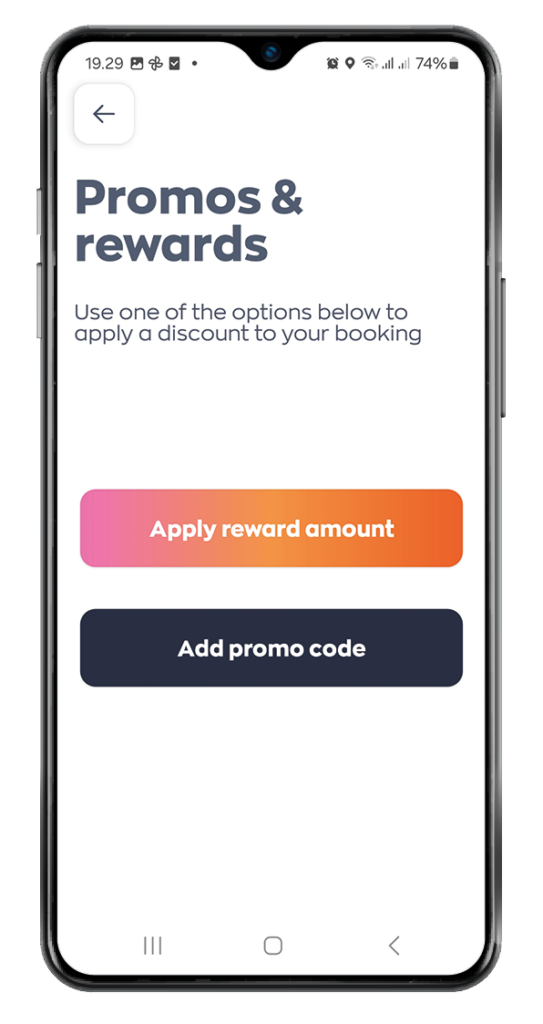
2. Click on Add promo code
3. Enter the code and confirm.
The app will automatically apply the discount to the fare.
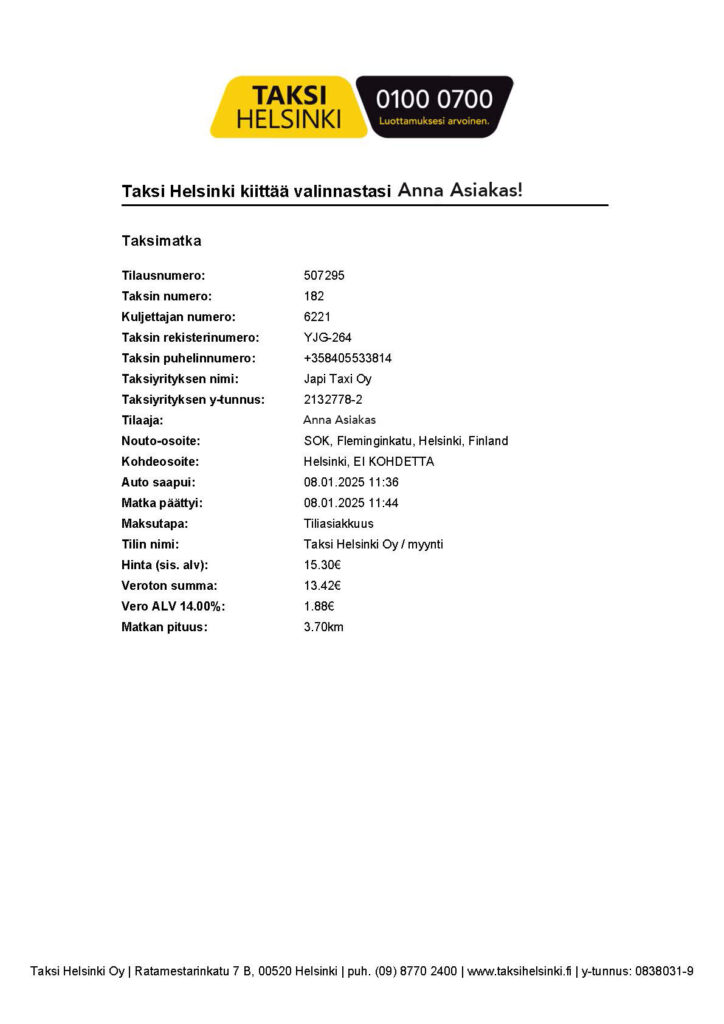
Taxi receipt for the trip
After the taxi rides paid for through the app are over, the system automatically sends a PDF taxi receipt to the email address saved in your Taksi Helsinki app account.
Note!
- If you do not receive receipts, please also check your email spam folder.
- If you pay for the ride in the car at the end of the trip, the receipt will not be sent to your email, but will be received from the driver at the end of the payment transaction.
eKuitti
You can also receive your taxi receipt as a digital eReceipt if you use a service that supports eReceipts (such as ReceiptHero). In this case, the receipt is automatically delivered to your chosen application or expense management system without the need to handle paper or PDF receipts.
An eReceipt contains the same information as a traditional receipt, but in a structured digital format, making it easier to store, process, and manage.
Paying with the application
You can use the application to pay for your ride,
even if you did not order a taxi with it.
Tap the Already in taxi button on the top right
of the start screen.
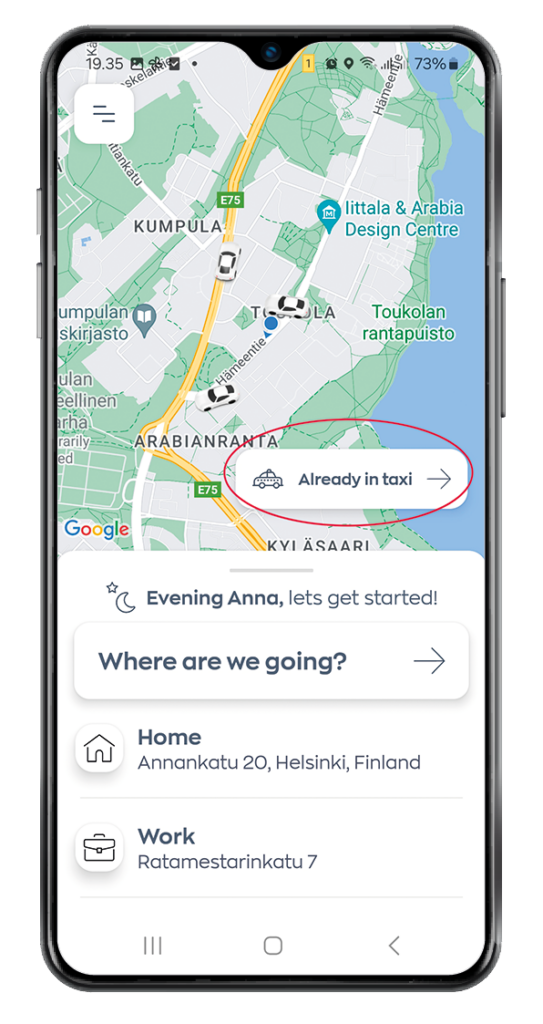
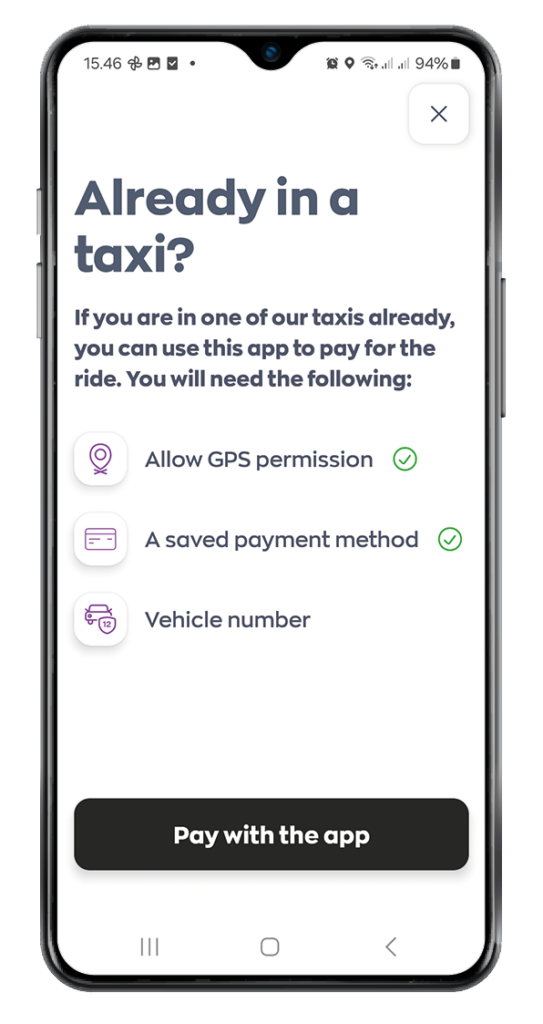
Note the following:
- Allow GPS permission.
- You need to have at least one payment method saved.
- You need to the number of the taxi.
Press Pay with the app.
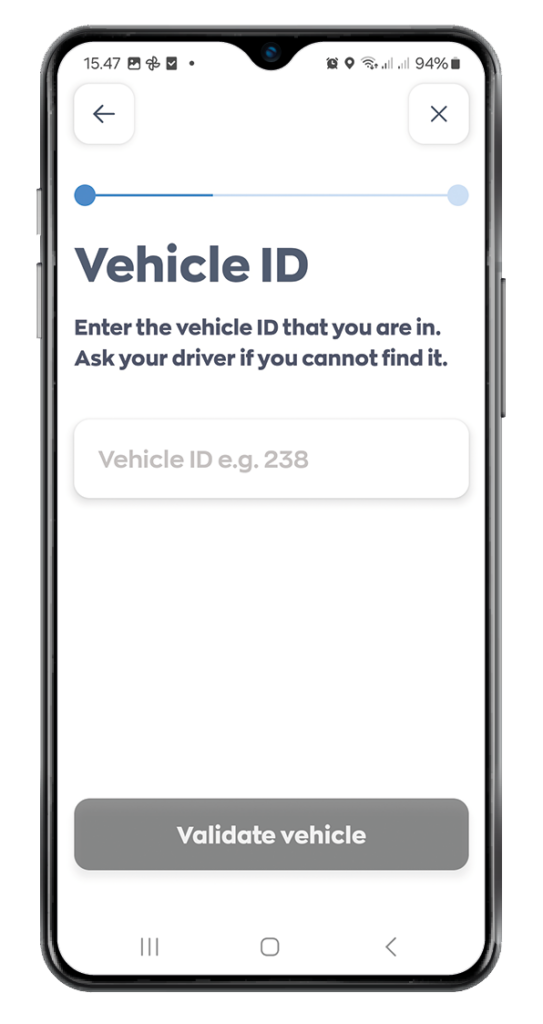
Enter the number of the taxi you are in.
Press Validate vehicle.
The payment for the ride is charged directly through the application.
Finnair Plus
You can collect Finnair Plus Avios on Taksi Helsinki taxi rides ordered through the app. You earn 2 Avios for every euro spent. To start collecting Avios, you must first link your Finnair Plus membership by registering your phone number in the system. Avios are credited based on the registered phone number.
The benefit applies to Taksi Helsinki taxi rides ordered using the Taksi Helsinki app with your registered phone number. Taxi rides picked up at a taxi rank and paid for using the app also earn Avios.
How to get started:
- Register your phone number. Registration can be done via the Finnair Plus link on the Taksi Helsinki website or in the main menu of the Taksi Helsinki app.
- Next, add your Finnair Plus membership details.
- You will receive a four-digit verification code by text message.
- Enter the verification code in the form.
- Registration is complete and you can start collecting Avios on Taksi Helsinki taxi rides.